
Floor Plan · Homeful for iPhone
Turn a floor plan into furnished visualizations
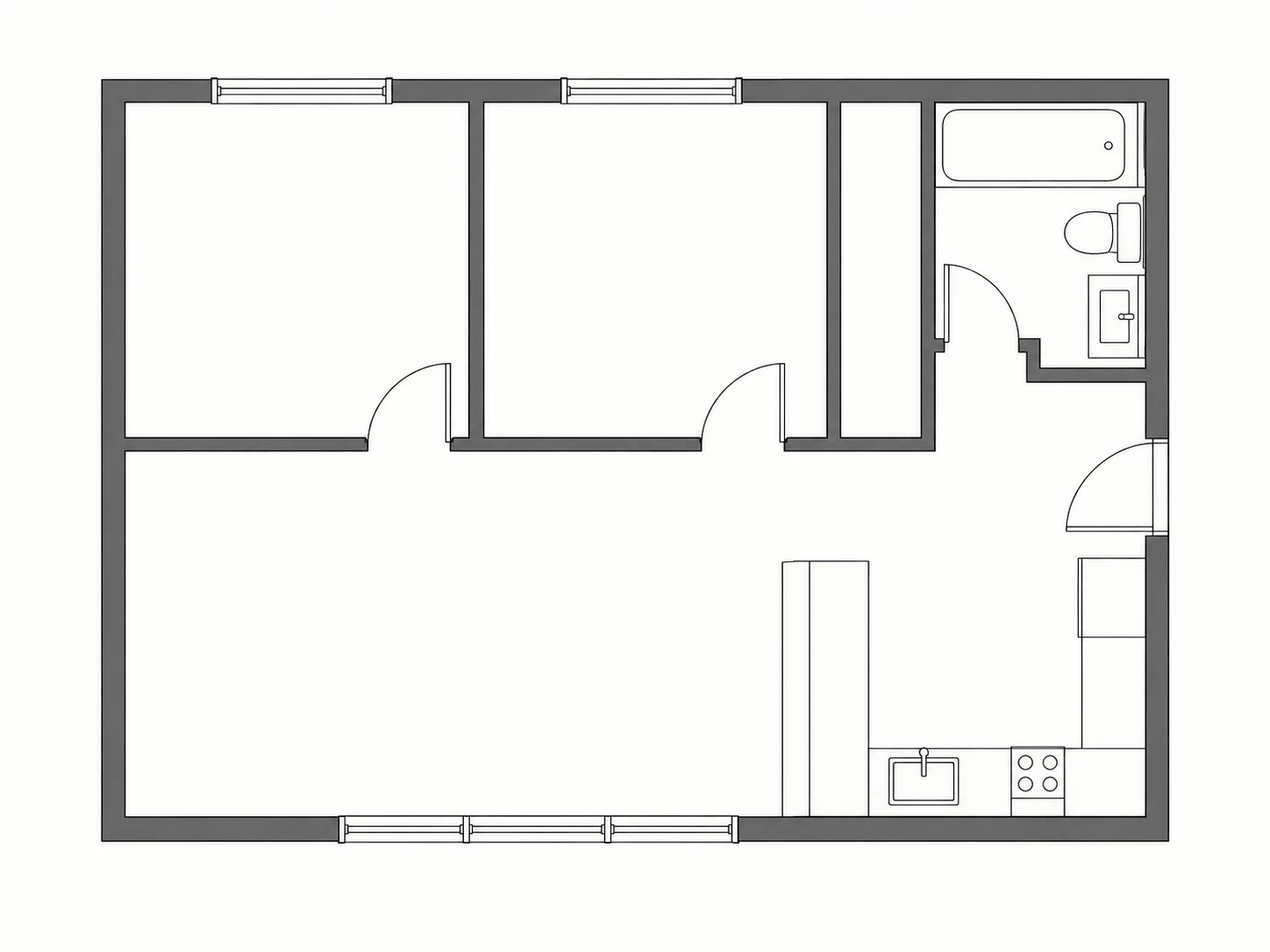
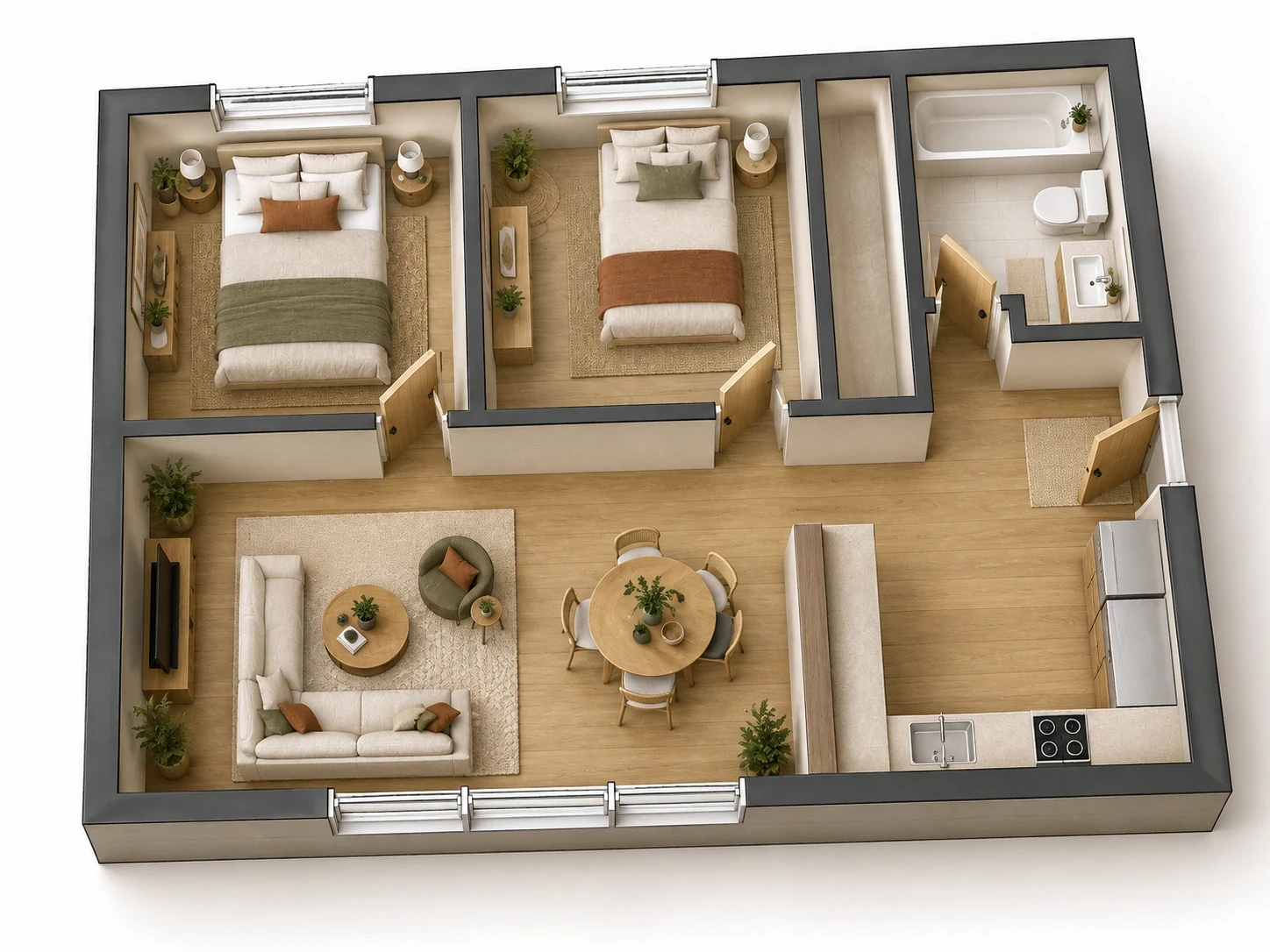
Explore an unfurnished plan in a more tangible way. Floor Plan offers individual room visualizations or a single angled 3D cutaway of the whole home.
Before: a 2D plan
After: a furnished cutaway
When to use Floor Plan
- Explore a coherent style across several rooms.
- Use a whole-home cutaway to understand the overall arrangement.
- Add room areas when creating individual room views.
How it works
- Open Floor Plan with Monthly or Yearly and select individual rooms or the whole-home view.
- Upload a legible plan. For individual rooms, check the detected rooms and areas.
- Choose a style and review the furnished visualizations.
What to check before making changes
The result is an image, not an editable CAD model or a dimensionally verified architectural reconstruction. Plan labels and openings can be interpreted incorrectly. Compare every output with the original plan.
Availability and subscriptions
Download Homeful free on iPhone with iOS 16.4 or later. A new account can create one locked personalized preview; a subscription unlocks the full result. Eligible subscribers can try Weekly free for 3 days, with up to 5 additional designs during the trial.
Floor Plan requires Monthly or Yearly. Paid allowances are 15 designs per week on Weekly, 50 per month on Monthly, and 60 per month on Yearly. Each new result or refinement uses a design. Android is coming soon.
Questions about Floor Plan
Which plans include Floor Plan?
Monthly and Yearly include access. Weekly does not.
How are designs counted?
Each individual room render uses one generation. A single whole-home cutaway uses one generation.